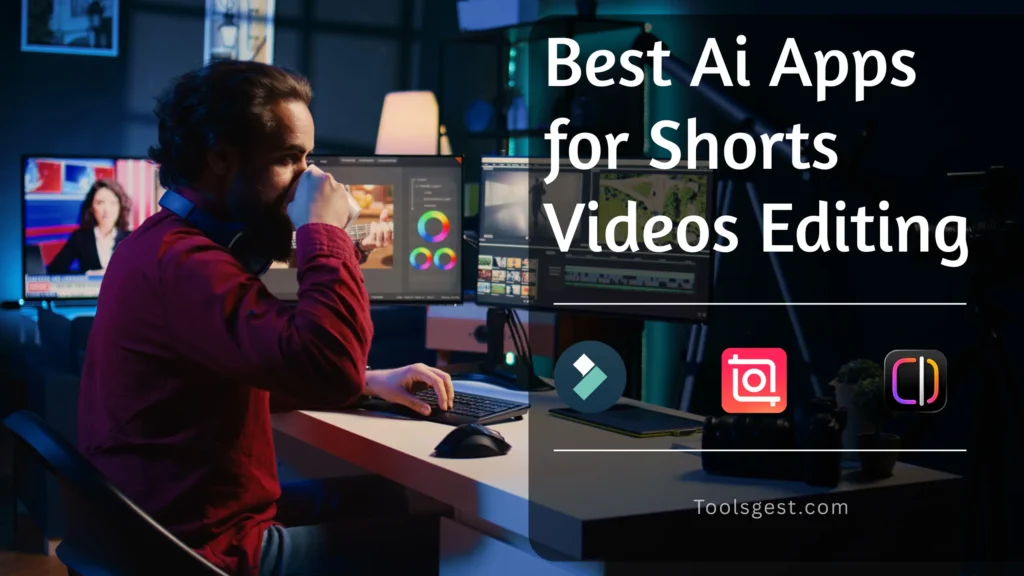
Best AI Apps for Short Video Editing (with FHD & make Virel)
Hello Editors, do you also want to edit your Shorts as quickly as possible using AI tool integrations? I’ve been editing for the past two years, but editing a 10–20 second video without AI apps used to take me hours. I started researching, and you won’t believe it — now it takes me only a few minutes to edit videos like these. This is possible thanks to the AI editing apps I currently use, and I’d like to share them with you. I’ve listed three apps here, including some details and my personal experience with each.
Now, let’s dive into this blog and learn about these AI apps, because they can completely transform your editing game. In this blog, I’ve shared all the information in a simple and beginner-friendly way.
What are AI Apps in Video Editing?
AI editing apps are tools or software that come integrated with artificial intelligence, automating a large part of the video editing process. In simple terms, most manual editing tasks (like adding captions, text styles, enhancing video quality, sound effects, motion effects, and many other features) are handled automatically. This means you can get a professionally edited video in just a few clicks. And a lot of features such as:
- Tools that automate common editing tasks instantly.
- Automatically adds captions, text styles, and motion effects.
- Smart fixes for color, noise, stabilization, and audio.
- Professional results without technical skills.
- Big time-saver: minutes instead of hours to finish edits.
You can think of AI apps as your personal assistants that help you at every step and greatly reduce the chances of errors. Since they are trained on large amounts of data and specific tasks, you can use them to save a lot of time and effort.
Best 5 Ai Apps for Short Video Editing (Latest & fast)
Here are the 3 best AI apps for short video editing, and I’ve personally used all of them. You won’t believe how smoothly and quickly these apps edit short videos — almost in minutes! You can use them to create videos for Instagram Reels, Facebook Shorts, YouTube Shorts, LinkedIn, and other social platforms, making your content creation journey much easier.
1) Wondershare Filmora
Wondershare Filmora has a simple, beginner-friendly interface and works on most devices. It offers impressive AI features like auto-captions, AI filters, text-to-voice, image-to-video conversion, and more. With Filmora, you can manage your video or reel’s sweet spots, stabilize audio, adjust text, and other elements—helping you produce a much better final output.
Best for: Beginners, YouTubers and Vloggers, Social Media Creators, Small Business Owners, and Marketers.
| Pros. | Cons. |
|---|---|
| Easy to Use | Aggressive Watermark (Free) |
| Affordable | Confusing Pricing |
| Rich Asset Library | Lacks Pro Features |
| Strong AI Features | Performance Lag |
Device Support: Android 14 and Above, Windows 11 or Pro, MacBook, Android & iOS Tablets.
2) Edits by Meta
Edits is an editing app from Meta that comes with several unique features not available in other apps. For instance, you can directly apply trending sounds from Instagram and use the app’s sound effects. The accuracy of this app is also much better compared to others.
It includes all the standard features you would expect from an editing app, and the best part is that it’s completely free with no hidden costs.
In my experience, this app could take over CapCut’s market. It comes with even better AI tools integrations than CapCut, making it a much better option for Facebook and Instagram content creators.
Best for: Instagram and Facebook creators, Social Media Marketers
| Pros. | Cons. |
|---|---|
| Completely Free & No Watermark | Mobile-Only |
| Deep Instagram Integration | Requires an Instagram Account |
| Built-in Analytics | Meta-Ecosystem |
| Powerful AI Tools | Fewer Creative Assets |
Device Support: Android and iOS Only
3) Adobe Premiere Pro
Adobe Premiere Pro is a powerful editing tool, so you will need a suitable device to use it. To edit with it effectively, you will first need to learn the basics from tutorials. This software/app is used in big industries for things like Hollywood movies, big shows, heavy editing, and video libraries, and also by some YouTubers and big business operations. It has the most advanced tech of all these editing apps, which is named Adobe Sensei, and in this, you can do any type of editing. It’s a very meticulous software. Even though it’s used for long-form content, it has been included in the list of short video editing apps, which just means it can edit short videos much better.
Best for: Professionals, Full-Time Editors, and Heavy Content Creators
| Pros. | Cons. |
|---|---|
| Heavy AI Integration | Only for Heavy Devices |
| All-in-One Software | Only for Skilled Editors |
| Big Libraries | Time Consuming |
| All Types of Content | Premium Required |
Device Support: Windows 11 or Pro, Android 15 and Above, Latest iOS, and MacBooks
These AI Apps can give you the best outputs in your editing, and you can boost your content creation or editing Career easily.
Conclusion
Effective editing can captivate viewers and keep them engaged with your shorts until the very end. To enhance your editing skills, consider using some of the best AI tools available. Based on my experience, I recommend starting with Wondershare Filmora if you are a beginner or have limited editing experience. Once you gain more confidence and skills, you can transition to Adobe Premiere Pro. Thank you for reading, and happy editing!