Learn How to Talk, Write & Respond Smarter Using AI Prompts
Good communication skills not only help you close deals but also shape the kind of impact you have on people. And to develop good communication, you need the right practice and good resources. You can use AI to find those resources, and to use AI chatbots in a better way, having good prompts is very important.
That’s why Toolsgest has brought you some great prompts that will help you learn how to do research with AI, how to use AI as a tutor, and how to save your time by using the right prompts. In this guide, we will also share some tips and methods that will help you improve your communication skills.
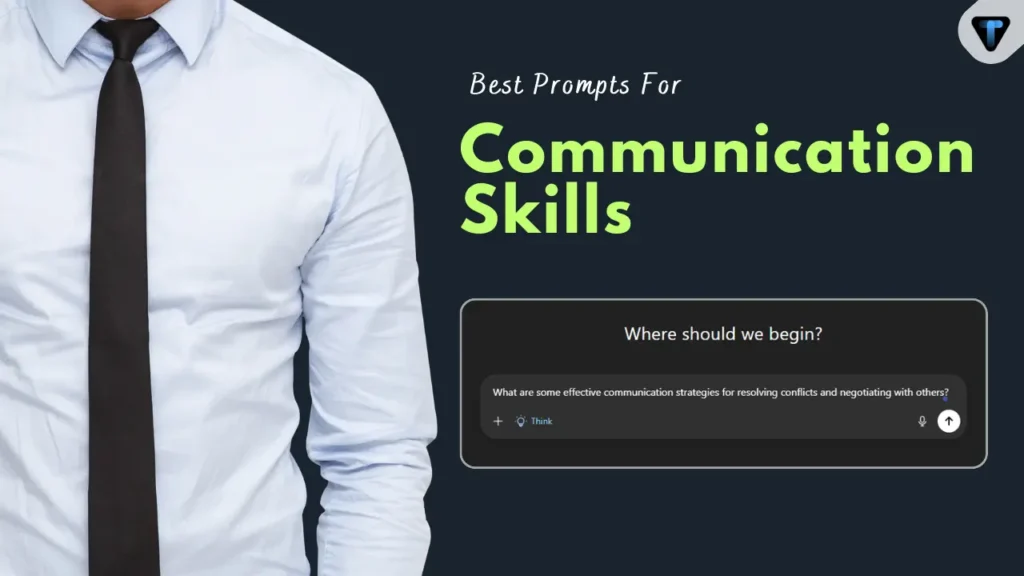
If you want to develop better communication skills using AI, you can use all these prompts.
Why Your Current AI Prompts Are Failing (And How to Fix Them)
No AI tool can give you a good output if your prompt is not good. Whether you use ChatGPT, Gemini, or Claude, you cannot expect a strong result without a strong prompt. These AI tools are trained on LLM models and are designed to perform tasks only when you give them clear instructions. How you give the task depends completely on your prompting.
For example, if you want to write an email, you cannot just say, “Write an email to submit to boss.” This is not a clear prompt and will not give you a proper result.
The Solution: The P-C-T-F Framework
Let’s look at some solutions that can help you improve your prompting.
- Persona: Who is the AI acting as? (e.g., “Act as a Harvard negotiation coach.”)
- Context: What is the background? (e.g., “I am asking for a 10% raise but the company just had layoffs.”)
- Task: What exactly do you need? (e.g., “Give me a script for the first 2 minutes of the meeting.”)
- Format: How should it look? (e.g., “Use bullet points, keep it under 150 words, and use a firm but empathetic tone.”)
Knowing Your Tools: ChatGPT vs. Claude vs. Gemini
Suppose you have learned how to write a good prompt, and now you can design a clear and effective prompt. But even here there is a small problem. Every AI tool is good at certain tasks, and not every tool is good at everything. So we should only use an AI tool for the work it is best at, instead of depending on one tool for every task.
For example, let me explain a small difference between ChatGPT, Gemini, and Claude.
- ChatGPT (The Creative Brainstormer): Best for storytelling, generating ideas, and overcoming writer’s block.
- Claude (The Master of Tone & Empathy): Best for highly sensitive emails, HR issues, resolving conflicts, and writing that sounds remarkably human.
- Gemini (The Researcher & Fact-Checker): Best for preparing for presentations, parsing data, and structuring logical arguments.
Best AI Prompts for Smarter Research & Preparation
I’ve seen brilliant professionals lose out on massive opportunities simply because they prepared their content but didn’t prepare for their audience. If you walk into a room to pitch a creative marketing campaign to a numbers-driven CFO, and you haven’t anticipated their financial concerns, you’ve already lost. Preparation is where the battle is won, and AI is your ultimate scouting tool.
Audience Analysis Prompt (Gemini or ChatGPT)
- The Pain Point: Pitching a great idea, only to get shot down immediately because you didn’t understand what the decision-maker actually cares about.
- Why this works: Gemini and ChatGPT are excellent at role-playing different corporate personas. This prompt forces you to step outside your own perspective and tailor your message to the listener’s immediate priorities.
“Act as a corporate psychologist. I am preparing to pitch [Project Name/Idea] to [Audience, e.g., the CFO and finance team]. Based on their roles, list their top 3 probable objections. Then, provide a 2-sentence script for how I can preemptively address each objection in my opening statement.”
The “Simplify the Complex” Prompt (Claude)
- The Pain Point: The “curse of knowledge.” You know your subject so well that when someone asks you to explain it, you ramble, use heavy jargon, and completely confuse your non-technical colleagues.
- Why this works: Claude is currently the undisputed champion of nuance and metaphor. Instead of a dry textbook definition, it will give you a sticky, memorable analogy that anyone can grasp instantly.
“I need to explain [Complex Topic, e.g., our new cybersecurity protocol] to [Non-technical Audience, e.g., the marketing team]. Explain it to me using a simple, relatable analogy. Keep the explanation under 60 seconds when spoken out loud.”
Best AI Prompts to Improve Active Speaking & Talking Skills
Writing well is one thing; thinking on your feet is another entirely. The sweaty palms, the sudden mind-blank, the defensive reactions—these happen because we lack a safe environment to practice high-stakes conversations. Here is how you turn AI from a simple text generator into a highly interactive, real-time speech coach.
The Tough Interviewer/Debate Simulator (ChatGPT)
- The Pain Point: Freezing up under pressure, losing your train of thought, or getting defensive when someone challenges your ideas.
- Why this works: This prompt breaks the standard AI behavior of giving you a massive wall of text. It forces a back-and-forth dialogue. (Pro-Tip: If you are using the ChatGPT mobile app, turn on the Voice feature and literally speak this prompt out loud to simulate a real-life conversation!)
“Act as a skeptical but fair executive. I am going to propose [Idea/Change]. Ask me one challenging question at a time. Wait for my response. After I respond, grade my answer out of 10 for clarity and confidence, tell me how I could have phrased it better, and then ask your next question.”
The “Stop Rambling” Speech Coach (Gemini)
- The Pain Point: Using too many filler words (“ums,” “ahs,” “basically”) and burying your main point so deep that your team loses interest during meetings.
- Why this works: This uses the military-tested BLUF (Bottom Line Up Front) framework. It trains your brain to give the conclusion first and the context second, which is the hallmark of a confident leader.
“Here is a transcript of an update I plan to give in tomorrow’s meeting: [Paste Draft]. It is too long. Rewrite it using the ‘Bottom Line Up Front‘ (BLUF) military communication framework. Cut the fluff and give me a punchy, 4-bullet-point script.”
Best AI Prompts for Writing & Responding with Emotional Intelligence
Digital communication is a minefield. Without tone of voice or facial expressions, a simple email can easily be misread as rude, aggressive, or dismissive. When emotions are running high, hitting “send” too quickly can damage a relationship permanently. AI can act as your emotional filter.
The De-escalation Prompt for Angry Clients (Claude)
- The Pain Point: Receiving a rude or frustrated message, feeling your blood pressure spike, and wanting to reply with an emotionally charged, defensive email that only makes things worse.
- Why this works: When we are angry, our judgment is clouded. Claude doesn’t have an ego. It will strip the emotion out of the conflict while maintaining strict professional boundaries. Note how the prompt specifically commands it to avoid “corporate jargon”—nothing makes an angry client madder than a robotic, fake apology.
“I received this frustrated message from a client/coworker: [Paste Message]. Act as an expert in conflict resolution. Draft a response that validates their frustration, maintains professional boundaries, and offers a clear next step. Do not use corporate jargon or sound overly apologetic.”
The “Tone Polish” Prompt for Everyday Emails (Claude or ChatGPT)
- The Pain Point: Staring at a drafted email for 20 minutes wondering, “Does this sound too aggressive? Am I being too passive?”
- Why this works: Instead of just rewriting the email entirely (which might lose your personal voice), this prompt acts as an editor. It points out exactly where you went wrong and gives you options so you remain in control of the final message.
“Review the following email I wrote: [Paste Email]. My intended tone is [e.g., firm but collaborative]. Identify any sentences that miss the mark, explain why, and provide three alternative ways to phrase them.”
Advanced 2026 Tactics: Iterative Prompting & Prompt Chaining
With time, technology is getting smarter, and when it comes to Artificial Intelligence, it is growing even faster. If you use AI tools, you already know how much easier they have made your work. But if AI tools are becoming smarter, then the people using them also need to learn how to give smart instructions. Otherwise, you may fall behind in this race.
- You should not accept every answer in the first output. You can guide the AI by giving clear instructions, like saying, “Make it 20% more casual and friendly to the user and easier to understand.” This helps the AI shape the response exactly the way you want.
- Use AI for research and verification. For example, if you have written an email, submit it to the AI and tell it to act like the person you are writing the email for. Then give clear instructions to check all facts, grammar, punctuation, and readability, and ask it to tell you where improvements are needed and how much improvement is required.
Conclusion: Start Communicating Smarter Today
If you want to get better results from AI, you definitely have to improve your prompting. Improving your prompting isn’t a very difficult task; you can actually do it in just 3 steps, such as “Give a Goal,” “Include all the sources for better output,” and “Give a persona to the AI tool, like ‘Act as an X.’. ” By starting this way, your prompting will begin to improve significantly.
I have also provided you with 100+ AI prompts that have been tested by the Toolsgest team and can work in all scenarios. You can access all of them for free.
Thanks for visiting Toolsgest!