8 AI Tools to Improve Communication Skills (2026 Picks)
Hello Entrepreneurs, you may be facing the same challenge that almost every entrepreneur and hustler does when talking to someone or giving a presentation: communication skills. Not everyone has a partner who can help them practice or point out their weaknesses so they can improve. But now you don’t need to worry, because in this excellent guide, I will tell you about some AI tools that can make your communication skills better, no matter what language you use. I will also tell you how you can improve your communication skills. So let’s get started.
Quick Picks
These three tools will definitely help you improve your communication skills.
- Best for Interview Prep: Yoodli
- Best for Filler Words (iOS): Ummo
- Best for Realistic VR Practice: VirtualSpeech
Why Communication Skills Matter Today
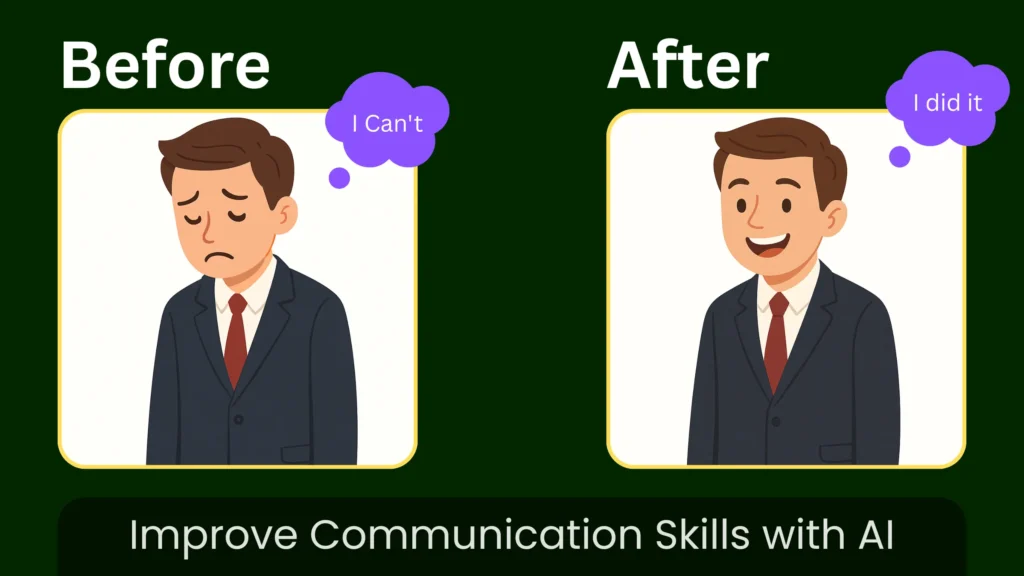
Communication skills are no longer just a ‘soft skill; in today’s competitive world, they have become a real need. No matter who you are – a student, employee, entrepreneur, or business owner. The way you speak and present yourself directly affect the opportunities you get.
Here are the most practical and relatable reasons why communication skills matter today:
1. Better Career Growth & Faster Promotions
Companies promote people who can explain ideas clearly, manage teams, and represent the organisation confidently.
Practical Example:
Imagine two employees with the same talent:
- One employee provides clear updates, speaks with clients confidently, and explains ideas.
- The other one hesitates during meetings, struggles to express thoughts, and is less confident.
Who gets promoted faster?
Always the first to communicate better
Reason: Managers want employees who can handle clients, lead teams, and avoid misunderstandings.
2. Strong Performance in Interviews & Presentations
Interviewers judge you within the first 30 seconds, so focus on your voice clarity, confidence, and structure.
Practical Example:
A candidate says:- “I am… um… basically… looking for a job because… um… I need experience.”
Versus someone who says:- “I’m excited about this role because I enjoy solving customer problems and I have proven experience in managing tasks under pressure.”
Both may have the same background, but the second candidate wins.
3. Building Trust & Credibility in Meetings
There is no doubt that if you want to do better in any meeting or presentation, you need to build trust and credibility. And good communication helps you sound reliable, steady, and professional.
Practical Example:
When explaining a project status:
- Poor communicator: “I think… maybe… it will be done soon.”
- Good communicator: “We completed 70%. The remaining part will take two more days.”
Clear language = more trust = more authority.
How to Improve/Quick Solution
Strong communication skills make your meetings and presentations successful. But the real question is how you can improve your communication. So here are a few short steps. Record yourself speaking for 1 to 2 minutes. Use AI tools like Orai or Yoodli to get quick feedback on filler words and clarity. Rewrite your thoughts using tools such as Grammarly to improve the structure. Then repeat the improved version. This simple routine of speak, analyze, and improve can change your confidence and communication in just a few weeks.
Best 8 AI Tools to Improve Communication Skills (Just like a friend)
As we know, not everyone has a partner or a physical teacher who can guide them, but now it’s not that difficult because these eight tools will help you in every way like a virtual teacher, and you will like them.
1. Orai – AI Speech Coach
Orai functions as a mobile speech coach, analysing practice sessions across seven key metrics: pace, energy, filler words, clarity, conciseness, eye contact, and smiles (when using the front camera).
How it Works: In this AI tool, you first record yourself, and with the help of that, it analyzes you and gives real-time recommendations and points out your mistakes. If you practice with it for 5 to 10 minutes daily, it can help you improve your body language and speaking.
Best for: Daily practice habits, tracking long-term improvement, eliminating filler words (“um,” “uh,” “like,” “you know”), and improving overall delivery confidence.
| Pros | Cons |
|---|---|
| Multi-metric analysis | Audio-dependent accuracy |
| Mobile optimization | Limited free sessions |
| Real-time scoring | Rigid scoring model |
| Data-driven insights | No advanced scenarios |
| Progress tracking | Occasional latency |
2. Yoodli – AI Roleplay & Interview Assistant
This tool is designed specifically for interview preparation and is ideal for AI interactive practice scenarios. It conducts your interviews and responds as an objective interviewer would. It focuses on your content and delivery and provides detailed feedback.
How it Works: This AI first asks you the most relevant questions for your industry and conducts a comprehensive interview. It even includes real-world examples and case studies. After you give your answers, you get an analysis of your word choice, filler words, speed, and the structure of your answers.
Best for: Job interview preparation, sales pitch rehearsal, presentation practice, and building comfort with impromptu speaking.
| Pros | Cons |
|---|---|
| Adaptive AI questions | Avatar realism issues |
| NLP-based feedback | Jargon misinterpretation |
| Auto transcripts | Scenario limitations |
| Behavioral analytics | Requires stable input |
| Follow-up generation | Accuracy varies |
3. VirtualSpeech – VR Public Speaking Practice
VirtualSpeech uses virtual reality so that it doesn’t feel robotic and creates real speaking environments like conference rooms, auditoriums, and networking events where you can practice while the AI analyzes your performance.
How it Works: You can use it with a VR headset to measure your body language, speech patterns, and other subtle cues. It helps you become a better communicator. You also receive feedback on eye contact, body language, pace, and content structure.
Best for: Overcoming stage fright, practicing with realistic audience presence, preparing for specific venue types, and developing physical presence skills.
| Pros | Cons |
|---|---|
| VR immersion engine | VR hardware required |
| Eye-tracking support | Higher system cost |
| Audience simulation | Longer load time |
| Motion analytics | Screen mode limited |
| Multi-venue library | Setup complexity |
4. Speeko – Daily Voice & Delivery Drills
Speeko focuses primarily on delivery mechanics, including pace, pauses, energy, and clarity. It cares less about content structure and more about how you say things. This AI tool is designed to deliver the most significant possible improvement to your speaking style.
How it Works: When you do a 60 to 90-second speaking exercise with it, it analyzes your word delivery in real time and, with the help of visual effects, it tells you if you are talking too fast, not pausing enough, or losing energy. This AI is designed only to remove your weaknesses.
Best for: Improving vocal delivery, managing speaking pace, mastering strategic pauses, and maintaining consistent energy throughout longer talks.
| Pros | Cons |
|---|---|
| Real-time waveform feedback | No semantic analysis |
| Pace detection | Requires routine use |
| Pause calibration | Limited features |
| Energy mapping | No scenario mode |
| Multilingual engine | Basic UI depth |
5. Ummo – Filler Word Tracking
Ummo’s primary mission is to remove filler words from your speech. It detects words like ‘um,’ ‘uh,’ ‘like,’ ‘you know,’ ‘basically,’ ‘actually,’ and any custom words you want to avoid.
How it Works: It is very easy to use. You need to keep the app active and complete tasks such as practice sessions, in-person meetings, or phone calls. It listens in the background and gives haptic feedback (a slight vibration) when you use filler words. You can also add your own custom filler words that you want to remove.
Best for: Breaking specific verbal habits, reducing filler words, maintaining awareness during honest conversations, and tracking improvement over time.
| Pros | Cons |
|---|---|
| Precision filler detection | Single-function tool |
| Real-time vibration alerts | Disruptive feedback |
| Background monitoring | Narrow analytics |
| Custom keyword tracking | No pacing data |
| Usage simplicity | No transcript view |
6. Descript – Voice Editing & Overdub
This AI tool is a text-based audio and video editor with AI features. It automatically transcribes your audio, identifies filler words, and can even correct sentences in real time using voice cloning.
How it Works: In this, you can import your recordings like podcasts, interviews, presentations, and video calls. After that, the AI deeply analyzes your voice and then edits it. It shows where to pause, whether your pronunciation is correct, and then corrects them and provides the improved version.
Best for: Polishing recorded presentations, creating professional podcasts, editing webinar recordings, and learning from your speaking patterns through transcript analysis.
| Pros | Cons |
|---|---|
| Text-based editing engine | Learning curve |
| Auto filler removal | Not live-capable |
| Overdub voice model | Model quality varies |
| Multi-track support | Higher CPU usage |
| Auto-caption generation | Subscription cost |
7. Grammarly – Writing Tone & Clarity Fixer
Grammarly is used as an advanced AI tool available as an extension, website, app, and iOS app. With Grammarly, you can improve your writing. It offers built-in tools, including a plagiarism checker, grammar checker, readability checker, word-choice checker, content-length checker, and more. This tool helps you draft emails, blog posts, applications, and other documents. Recently, Grammarly added a new tool called Superhuman Go, which enables you to write in a human tone.
How it Works: You can use it as a browser extension and as a web application. While you write emails, documents, or scripts, Grammarly checks clarity, engagement, delivery, and tone and provides real-time suggestions.
Best for: Email communication, drafting presentation scripts, improving message clarity, and ensuring the written tone matches the intent.
| Pros | Cons |
|---|---|
| Advanced NLP clarity engine | Writing-only insights |
| Tone prediction | Over-correction risk |
| Cross-platform sync | Premium gating |
| Real-time suggestions | Limited contextual depth |
| Style guide support | No voice analysis |
8. Krisp – Noise Cancellation & Call Clarity
Krisp uses AI to remove background noise, echoes, and unwanted sounds from your calls in real time. It works in both directions, cleaning what you hear and what others hear from you.
How it Works: Install Krisp and set it as your audio input or output in any communication platform, such as Zoom, Teams, or Slack. The AI finds and removes background noise while keeping your voice clear. It also includes additional features such as automatic meeting transcription and talk-time tracking.
Best for: Remote professionals, anyone in noisy environments, improving perceived professionalism on calls, and ensuring your message isn’t lost to audio distractions.
| Pros | Cons |
|---|---|
| AI noise suppression | Not skill-enhancing |
| Echo cancellation | Daily free limits |
| Low CPU load | Desktop-first design |
| Bidirectional filtering | No delivery metrics |
| Offline processing | Requires setup |
Which Tool Should You Use? (Quick Comparison)
| Feature | Orai | Yoodli | VirtualSpeech | Speeko | Ummo | Descript | Grammarly | Krisp |
|---|---|---|---|---|---|---|---|---|
| Best For | Daily practice & tracking progress | Interview prep & roleplay | Overcoming stage fright | Fixing delivery issues | Eliminating filler words | Editing recordings | Writing clarity | Clear call audio |
| Platform | Mobile (iOS/Android) | Web + Mobile | VR headset or Web | Mobile (iOS/Android) | Mobile (iOS/Android) | Desktop (Mac/Windows) | Web + Desktop + Mobile | Desktop (Mac/Windows) |
| Difficulty Level | Beginner-friendly | Beginner to Intermediate | Intermediate | Beginner-friendly | Super easy | Intermediate | Beginner-friendly | Easy |
| Practice Type | Solo practice sessions | AI interview simulations | Virtual audience practice | Delivery drills | Real conversations | Post-recording editing | Writing support | Live call enhancement |
| Real-Time Feedback | Yes (after recording) | Yes (during practice) | Yes (in VR) | Yes (visual cues) | Yes (vibration alerts) | No (post-production) | Yes (as you type) | Yes (noise removal) |
| Key Strength | Tracks 7 metrics over time | Realistic interview practice | Most immersive experience | Best for pacing issues | Simplest filler tracker | Professional editing power | Best writing assistant | Clearest audio quality |
| What It Measures | Pace, energy, fillers, clarity, eye contact | Content quality, delivery, confidence, fillers | Body language, eye contact, audience engagement | Pace, pauses, energy, volume | Filler word frequency only | Nothing (editing tool) | Tone, clarity, grammar, engagement | Audio quality only |
| Free Version | Yes (limited sessions) | Yes (limited scenarios) | Trial only | Trial only | Yes (basic features) | Yes (limited hours) | Yes (basic grammar) | Yes (60 min/day) |
| Paid Plans Start At | $8/month | $15/month | $30/month | $10/month | $5/month | $12/month | $12/month | $8/month |
| Setup Time | 2 minutes | 5 minutes | 15-30 minutes | 2 minutes | 1 minute | 10 minutes | 2 minutes | 5 minutes |
| Learning Curve | Low | Low to Medium | Medium | Low | Very Low | Medium to High | Low | Low |
| Works Offline | No | No | Partially (VR mode) | No | Yes | Yes (after download) | No | Yes |
| Progress Tracking | Excellent (detailed graphs) | Good (session history) | Good (improvement metrics) | Excellent (visual trends) | Good (statistics) | Manual (compare recordings) | Limited | Limited |
| Customization | Medium (practice topics) | High (custom scenarios) | High (venue types) | Low (preset drills) | High (custom filler list) | Very High (full editing) | Medium (style guides) | Low |
| Multiple Languages | Limited | English primary | English primary | Yes (20+ languages) | Yes (15+ languages) | Yes (transcription) | Yes (English best) | All languages |
| Ideal User | Anyone building habits | Job seekers | Public speakers | Fast talkers | Chronic “um” users | Content creators | Writers & speakers | Remote workers |
| Not Good For | Content editing | Stage fright | Daily quick practice | Content quality | Delivery mechanics | Real-time practice | Verbal delivery | Skill coaching |
| Privacy Level | Good (cloud storage) | Very Good (private by default) | Good (optional sharing) | Good (device processing) | Excellent (device only) | Good (cloud-based) | Good (data analyzed) | Excellent (local processing) |
| Hardware Needed | Smartphone only | Webcam recommended | VR headset (optional) | Smartphone only | Smartphone only | Good microphone | None | None |
| Team Features | No | Yes (coaching mode) | Yes (group licenses) | No | No | Yes (collaboration) | Yes (business plans) | Yes (team accounts) |
| Integration | None | Calendar, Zoom | None | Calendar | None | Many platforms | Everything | Zoom, Teams, Slack, all |
| Updates Frequency | Regular | Regular | Occasional | Regular | Occasional | Frequent | Very Frequent | Frequent |
| Customer Support | Email only | Email + Chat | Email + Resources | Email only | Email only | Email + Chat + Docs | Email + Chat | Email + Chat |
| Refund Policy | 7 days | 14 days | 30 days | 7 days | 7 days | 30 days | 30 days | 14 days |
| Our Rating | ⭐⭐⭐⭐ (4/5) | ⭐⭐⭐⭐ (4.5/5) | ⭐⭐⭐⭐ (4/5) | ⭐⭐⭐⭐ (4/5) | ⭐⭐⭐⭐ (4/5) | ⭐⭐⭐⭐⭐ (5/5) | ⭐⭐⭐⭐⭐ (5/5) | ⭐⭐⭐⭐(4.5/5) |
Generate Free AI Prompts by Entering Your Niche 👇
Templates & Ready-to-Use Scripts to Practice Your Communication Skills
Copy, customize, and practice these proven structures.
30-Second Elevator Pitch Template
Structure: Who → What → Value → Call-to-action
Template:
"Hi, I'm [NAME]. I [ROLE/TITLE] at [COMPANY/CONTEXT]. I help [TARGET AUDIENCE] [ACHIEVE SPECIFIC OUTCOME] by [YOUR UNIQUE APPROACH]. Right now, I'm particularly focused on [CURRENT PRIORITY]. [QUESTION TO CONTINUE CONVERSATION]?"
Example:
"Hi, I'm Sarah. I work as a product manager at a fintech startup. I help small business owners manage their cash flow better by creating easy-to-use forecasting tools. Right now, I’m mainly working on adding AI features that can predict seasonal revenue changes. What brings you to this event?"
Practice tips:
- Keep it conversational, not rehearsed
- Pause after value statement (let it land)
- Make the question genuinely curious, not formulaic
- Practice 10+ times until it feels natural
Presentation Opener Template
Structure: Hook → Promise → Roadmap
Template:
"[COMPELLING QUESTION, STATISTIC, OR STORY]
Today, I'm going to show you [CLEAR PROMISE OF VALUE].
We'll cover three things: [POINT 1], [POINT 2], and [POINT 3]. By the end, you'll be able to [SPECIFIC TAKEAWAY].
Let's start with [FIRST POINT]."
Example:
"How many of you have left a meeting wondering what was actually decided? (pause for hands)

Today, I'm going to show you a simple framework that transforms vague meetings into clear action plans.

We'll cover three things: the decision matrix I use with my team, how to document outcomes everyone actually references, and follow-up strategies that ensure accountability. By the end, you'll be able to cut meeting ambiguity by at least 50%.

Let's start with why most meeting summaries fail."
Practice Tips:
- Hook should relate directly to the audience’s pain point
- A promise must be specific and achievable
- Three points maximum (people remember three)
- Transition confidently into content
Do I really need to pay for these AI tools, or are free versions enough?
Free versions work great for most beginners.
How long will it take to see improvement in my communication skills?
Expect noticeable changes in 7-14 days with daily practice.
I’m not preparing for interviews or speeches — will these tools still help me?
Absolutely yes — everyday communication matters most.
Can these AI tools help if English isn’t my first language?
Yes, they’re actually perfect for non-native speakers.
Which single tool should I start with if I can only choose one?
Depends on your biggest frustration right now. May you start by writing something and using Grammarly first.
Conclusion
When your communication skills are strong, your impression accounts for about 50-60 percent, encompassing your language, tone, gestures, body language, eye contact, and more. If we look at it, no one is 100% perfect, but you can continually improve. And I believe that you don’t need all eight tools. You don’t need expensive coaching. You don’t even need to be naturally talented at speaking. You need to start.
You can begin by writing or joining communities that help you get better, and you can also use the AI tools I recommended. You will become a good communicator. Thanks for reading.
Best Reviews
Thanks Udit