
PDF Redactor Tool by Toolsgest
Professional PDF Redaction Tool
Securely redact sensitive information from PDF documents. Perfect for legal, medical, and confidential business documents.
What is the PDF Redactor Tool?
The Toolsgest PDF Redactor Tool is a simple, secure tool designed to permanently remove and highlight private information from your documents with custom colors. Unlike standard editing tools that might just “hide” text behind a black box, our tool completely erases the data from the file so it can never be recovered. Whether you need to protect social security numbers, bank details, or personal addresses, Toolsgest makes it easy: just upload your PDF, select the sensitive areas, and we handle the rest. It’s the fastest way to share your documents with total peace of mind.
Use of PDF Redactor Tool
-
To permanently remove text from a PDF (redact)
-
To redact a PDF online free without a watermark
-
To redact the bank statement PDF for the rental application
-
To bulk redact multiple PDFs at once
-
To redact a scanned PDF with OCR accuracy
-
To auto-redact emails and phone numbers in PDF
-
To redact PDF and remove metadata permanently
-
To redact a PDF for lawyers and paralegals
-
To redact PDF for HIPAA compliance (healthcare)
-
To redact a PDF without losing bookmarks or annotations
-
To redact PDF online, no signup required
-
To permanently remove hidden text from a scanned PDF
-
To redact PDFs while preserving original formatting
- To Highlight and Remove Text with custom colors
- Use multiple or Unlimited times (Tool by Toolsgest)
How it Works
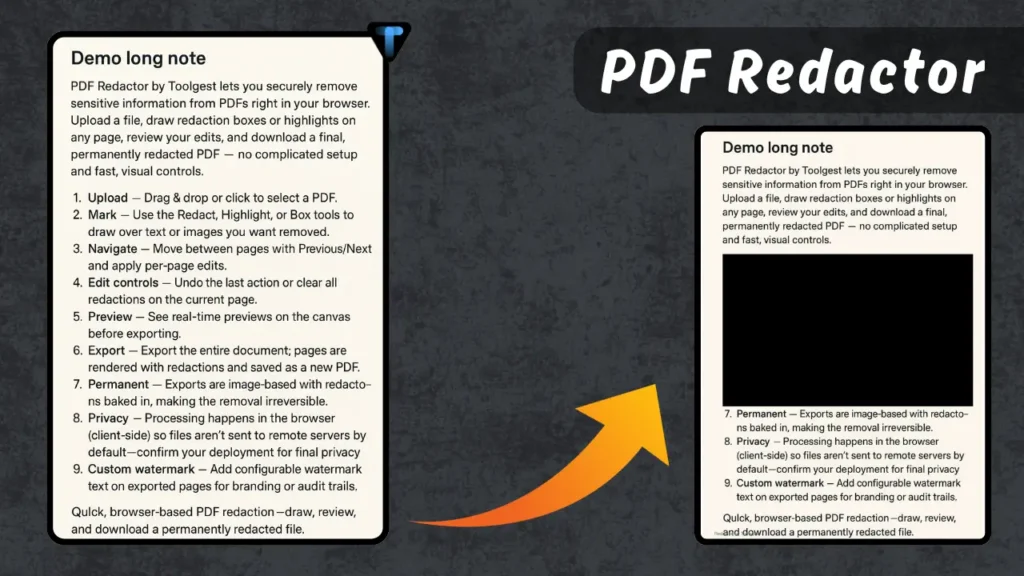
PDF Redactor by Toolsgest lets you securely remove sensitive information from PDFs right in your browser. Upload a file, draw redaction boxes or highlights on any page, review your edits, and download a final, permanently redacted PDF — no complicated setup and fast, visual controls.
Upload — Drag & drop or click to select a PDF.
Mark — Use the Redact, Highlight, or Box tools to draw over text or images you want removed (Just like cropping an image).
Navigate — Move between pages with Previous/Next and apply per-page edits.
Edit controls — Undo the last action or clear all redactions on the current page.
Preview — See real-time previews on the canvas before exporting.
Export — Export the entire document; pages are rendered with redactions and saved as a new PDF.
Quick, browser-based PDF redaction — draw, review, and download a permanently redacted file.
FAQs
Just export the file — the tool flattens everything so the hidden text is gone for good.
That means the PDF had a hidden text layer — export again using the flatten/OCR option.
Yes, upload them in bulk and the tool applies the same redaction rules to all files at once.
Remove account numbers and personal details — keep only the info the receiver actually needs.
Nope — exports are clean, and you don’t need to create an account to use it.
No — by default redaction runs in your browser; files aren’t uploaded unless you turn on cloud processing.
Yes
Use the Remove metadata / Flatten option (or OCR-aware export) to strip hidden text and metadata.